

July is here. The weather is hot. Development time for all new Piezography products is at hand. While the Piezography for Canon project requires new ink formulation and testing (a long process), prior to installing in the big 8300, new EPSON projects can move forward using the existing ink K7 formulations. We’ve had a Canon 8300 waiting patiently, but unless the formulation is perfect – it will ruin the heads. So little baby Canons will be tested (slaughtered) until the formula is ready to go on the brand spanking new Canon 8300. Life on a farm can be cruel.
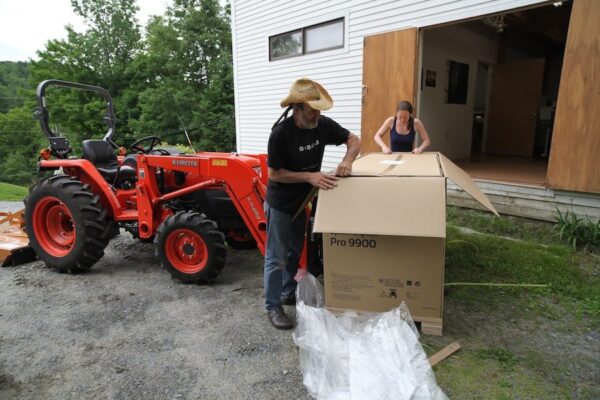
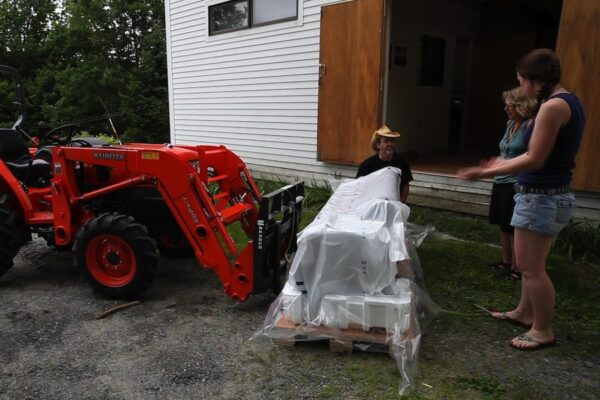
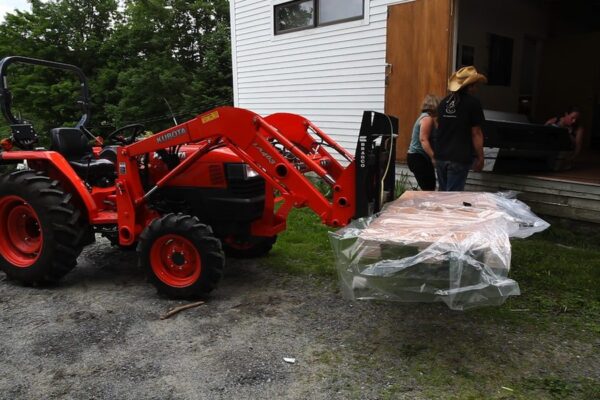
Last week, we received a brand new EPSON 9900 printer seedling. We picked it off the back of our favorite Conway delivery truck (the one that delivers us new printers). Moving it into the building is a typical farm chore. Cathy Cone and Dana Ceccarelli did most the heavy work, while I relied on the mighty Kubota to do my lifting. Life on an inkjet farm is hard. Cathy and Dana cleaned and stripped it of its tough cardboard skin to reveal the metallic flesh beneath. It’s on cardboard curing – not that different than digging up potatoes to dry. But, what we have planned for it is going to be very cool.

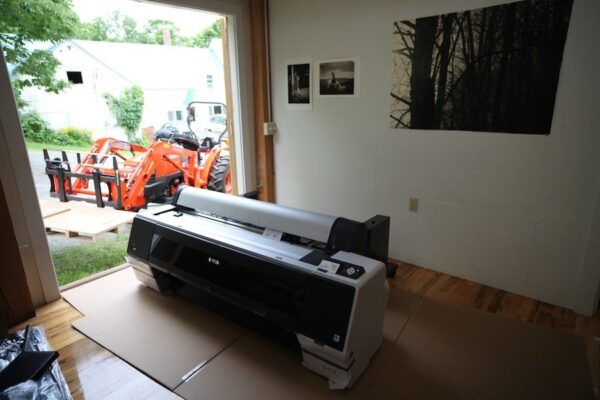
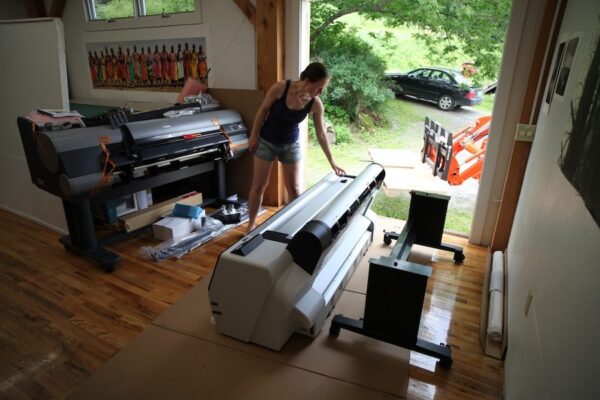
Currently, the 9900 is still sitting on the floor of Jon and Cathy Cone’s Cone Editions printmaking studio where all Piezography products have initially been born and raised. Curiously, it is facing the Canon ipf8300 at this point. They remind me of calves.
So what I’m raising up this Summer is two-fold.
Piezography2
I will be doing my first major revamp of Piezography for most of the supported printers which are matte only or gloss only. Currently, the only printers which can be used to simultaneously print matte and glossy prints are the Epson 2880 and the Epson Pro 3800/3880. These printers have enough ink cartridge slots to fit six shades of ink, two blacks (MK & PK) and the Gloss Overprint.
In a nutshell, Piezography2 is going to bring simultaneous matte/glossy capability to the following supported printers: EPSON R1400, 2400, R1800, R1900, Pro 4800, Pro 4480, Pro 7800/9800, Pro 7880/9880. Sorry! but we no longer have R&D 2200, 4000, 7600/9600 printers.
Piezography2 will use the same existing ink sets minus the lightest shade to allow glossy printing across the board. For example on Epson R1800/R1900/R2400 we will feature a K6 ink set with both matte black, photo black and the Gloss Overprint. A new curves architecture and profile library will be available that allows the user to choose between matte and glossy printing.
The 1400 printer will become a K5 printer dropping shade 6 so that Piezography Gloss Overprint can be installed. Because this printer is so easy to operate with refillable cartridges, a user can move between K6 matte and K5 glossy quite easily by swapping out just two cartridges.
The upgrade path to Piezography2 on the above desktop printers will require only one or two bottles of ink that the user does not already have (MPS shade 1 black and Piezography Gloss Overprint) and fresh cartridges with which to put these two inks into.
We have a lot of profiling to do and hope to release this system late Summer or early Fall, during the typical harvest.
Piezography Pro2
We will be introducing an all new Piezography product on the 3800/3880, 7900/9900 printer platforms: Piezography Pro2.
- Now this gets interesting… QuadTone RIP has a feature called curve blending in which 2 or 3 curves can be used simultaneously to blend. The blending is very sophisticated in that the user can select to blend across the entire tonal range or selectively (and simultaneously) in highlights, midtowns and shadows. The net effect is that I want to take advantage of this feature for our customers. I already use this in a personal system I made for myself. It allows the inks installed in a printer to have tens of thousands of different identities.
- We plan to offer two K4 ink groups and one K3 ink group in the Epson 7900/9900 printers. Besides having Gloss Overprint and both matte and photo blacks installed, the printer would have a total of four shades black in Warm Neutral and four shades black in Selenium and three shades black in Neutral.
- Three curves would be made for each of the three installed ink groups for every supported media..
- With three curves for JonCone Studio Type2 (by example), the user could print it as a Selenium print, or a Warm Neutral print, or a Neutral print. The printer essentially could be used as three printers.
- But, the user could blend two or three of the installed ink groups together to form subsets. For example, a 70%-30% blend of Warm Neutral / Selenium. The combinations are numbing.
- Finally, a split tone print in which any of these three ink groups are selected for blending equally or in varying proportions. The blending might be to have nearly Neutral highlights made of 92% Neutral tempered with 8% Selenium; the midtones comprised of 60% Selenium and 40% Warm Neutral; with the shadows comprised of 93% Warm Neutral tempered with 7% Selenium. As you can imagine, it is possible to make some pre-sets that are very autographical.

Yes, it is possible to forgo the glossy option and choose matte inks as well – so that Carbon and Neutral become options in the above scenarios…. There can be some extensive customization possible as long as the shades are installed in the correct positions.
Piezography Pro2 on the Epson 3800/3880 will be a double blending system with two ink groups installed.
I’m opting for more flexibility than while at the same time still exceeding the capabilities of Epson ABW both in resolution and fidelity. That’s a lot to claim in one sentence… While K7 remains a viable option for those who wish to run it on the new printers, Piezography2 and Piezography Pro2 become creative power platforms. The original Piezography systems and curves will continue to be supported!
Share
Exciting news! I am the owner of a 3800 printer filled with K7 SE inks. I am thrilled to have more print options in one printer later on. Keep on the good work there at the farm!
Great news, can’t wait to use Piezography2 it in my 4800…and stop changing the blacks from Matte to Glossy
Boinnnggg!!!
Will P2 be capable of doing digital negatives as well?
I will not know until I try… so far I believe the smoothest most perfect curves are made with the two half shades (2.5 and 4.5). If I can make perfectly smooth neg outputs with the regular shades – I will. But, I have put a lot of time into that already. I will give it another go… thanks for asking!
Jon,
How goes it with the new ink sets for the 7900/9900. Will they be available for the 4900 as well?
We have inks for the 4900, but so far, the chip on this printer has proven to be impossible to produce for the cartridge manufacturers. the best we can offer at this time is a set of circuit boards which you replace inside the printer and are able to bypass the chip readers… then carts without chips can be used… that cost is $400.00. It may take some time for the cartridge engineers to sort out a chip for this printer so a less costly cart system can be offered.
Sign me up for the Piezography Pro2.
I was using the curve blend feature to mix Carbon Sepia and Selenium for about 3 years until I just recently switched to Special Edition.
It’s a great ink set, but I really miss being able to get controllable split tones on a single paper stock.
The only problem is, I am still keeping my 7600 running and it shows no signs of dying.
James Haney
So, not having seen the carts for the 4900 I take it they can’t be scavenged from a set of Epson carts. They have had a $1000.00 rebate on these printers which makes them very attractive but if it is a huge hassle to get the printer working for Piezo…Too bad for Epson. I know they make their money on ink but …PLEASE! How big is our segment.
Jon, when waiting in selling inks and cartridge for 7900?
CHIP 7900 differs from 4900, you can make it, or need to buy electricity then carts?
What do I do now, what ink cartridges to buy, that would quickly start printing at 7900 on matte and glossy paper?
Sorry bad translation, it’s Google. I am from Moscow …
Jon, one more question: Will you support the Epson 7890? There’s 9 seats for cartridges! You can use 6 colors + black matt + black gloss + Gloss Overprint.
Similar question Jon, any news on the 9900 cartridges?
We’ve been selling 9900 cartridges for ConeColor for a year. We have Piezography customers on the 9900 using StudioPrint RIP. I will develop curves for QTR within the next two months….
Jon,
Any success with the Canon’s so far? What RIP will you be using. You are well aware of the RIP made by Bowhaus I’m sure.
JH
Yes and no. We did find a way to produce – but it requires virgin printers. Once a Canon is used for color, there is no way to remove the color inks from the sub-buffers. It recontaminate the Piezography ink. And I did do some modification of the BowHaus RIP to make multi-ink master curves. Alas, our focus is on Piezography K7 and MPS inks and these are true encapsulated pigment formulations. The thin polymer around each pigment particle burns off in the Canon head and crusts on the outside of each jet. While PiezoTone inks work perfectly, we recently discontinued our non-encapsulated pigment inks. PiezoTone was not encapsulated. It’s just not feasible.
We’ll continue concentrating on the new Epson printers. We’ve released on the new Epson 7890/9890 and 7900/9900 as well as the R3000. Today we began working with the new Epson 1430. We have chips and carts in the 4900 and just need to redesign the cart a bit. Piezography2 is already in the hands of some customers – and we’ll formally release it shortly with all new curves architecture. But, the Canon is canceled at this time. 🙁 The Canon is on it’s way out of the shop now…. More Epsons coming in again…